
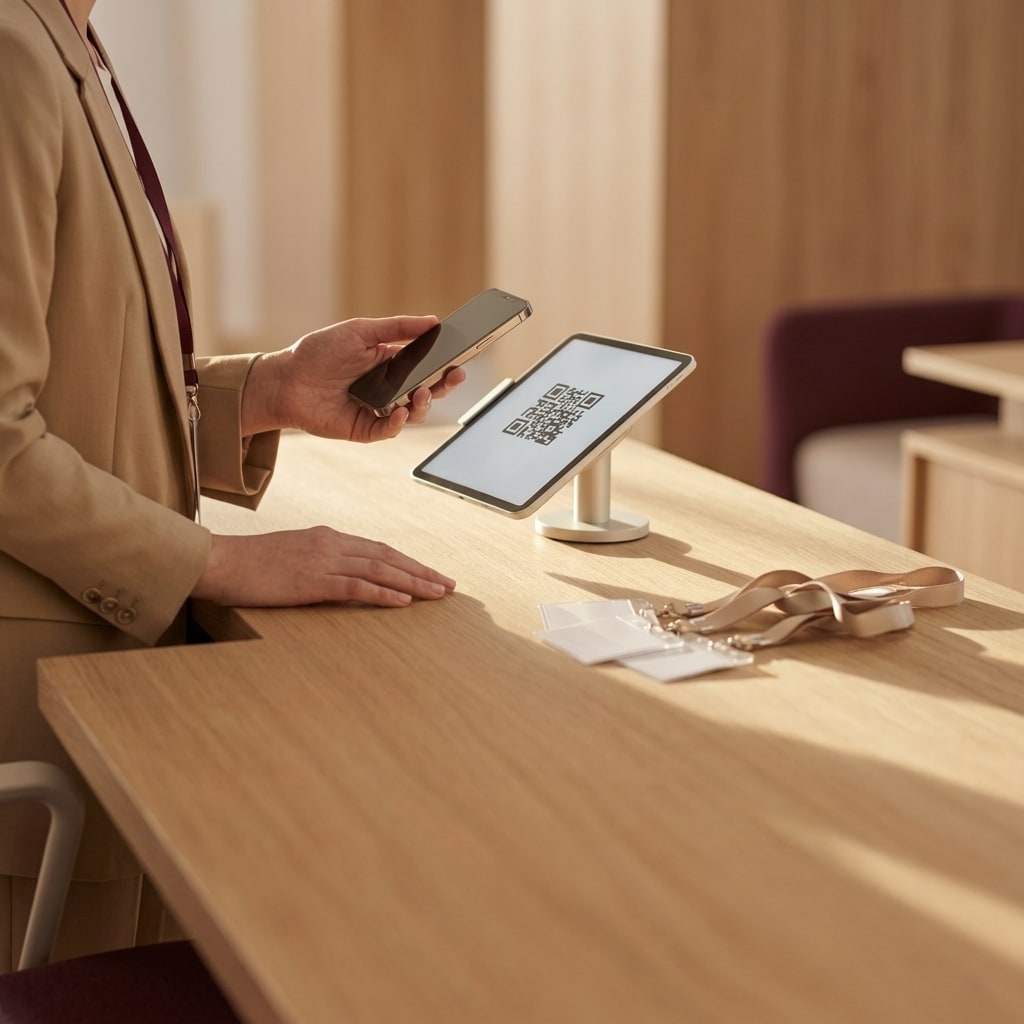
An event check-in checklist executed 15 minutes before doors open must verify local offline data synchronization, optical scanner calibration under ambient lighting, and staff routing protocols for troubleshooting edge cases. Completing these three technical validations ensures continuous attendee throughput, eliminates single points of failure like network outages, and prevents registration bottlenecks from delaying your main stage schedule.
The check-in perimeter is the operational gateway of any corporate conference or live event, where small hardware or network hitches quickly compound into severe entrance delays. A pre-flight check is a time-boxed operational protocol designed to validate hardware sensors, local cache integrity, and staff workflows under simulated peak stress before the attendee arrival curve spikes.
—
1. Local Cache Synchronization and Network Resilience
The first test evaluates scanner data architecture to ensure mobile devices maintain a complete local database of attendees and do not require active network roundtrips to authorize entry. During large-scale corporate summits, cellular data networks and venue Wi-Fi frequencies often experience bandwidth saturation and packet loss the moment hundreds of guests gather in a concentrated foyer.
To conduct this test on-site, operations leads should toggle one scanning terminal into Airplane Mode and immediately scan two sample passes: an approved ticket and an invalid barcode. If the device takes longer than 200 milliseconds to resolve the guest identity and grant entry from local memory, the entrance architecture is vulnerable to total queue standstills during temporary connectivity drops. Reviewing how resilient entrance infrastructure for outdoor events manages decentralized local databases highlights the technical risk of relying exclusively on remote REST APIs.
Simultaneously, the check-in architecture must enforce peer-to-peer or delta-sync protocols across all stations. When Terminal 1 scans a badge offline, that badge state must propagate to Terminal 4 the moment network communication resumes, mitigating the risk of credential duplication across entrance lanes. As defined in RFC 7234 regarding HTTP caching controls, storing state locally and relying on conditional revalidation reduces unnecessary network payload traffic by more than 80%, providing essential bandwidth conservation during peak ingress.
| Verification Component | Action Required | Expected Result | Failure Signature |
|---|---|---|---|
| Offline Cache | Disable Wi-Fi and cellular radios on tablet | Guest identity resolved in under 200ms | "Network connection required" modal |
| Double-Entry Mitigation | Scan identical barcode on two terminals | Second terminal rejects: "Ticket Already Redeemed" | Duplicate entry accepted without alert |
| Delta Pull Sync | Add a test VIP attendee in central management portal | New record appears on all terminals within 60s | Record missing on edge scanning hardware |
—
2. Optical Hardware Calibration and Ambient Light Tuning
The second test validates physical optical acquisition speeds against diverse smartphone displays under real-world venue lighting. Harsh overhead downlights, low-angle solar glare through foyer glass, or dim architectural perimeter lighting all impact sensor exposure and optical focus, adding seconds to every scan.
To execute this calibration on the floor, test against two physical edge cases:
- A mobile screen with low contrast, cracked glass, or a matte anti-glare screen protector set to 20% brightness.
- A bright flagship display presenting a high-density QR code at maximum luminance directly under the station spotlight.
Evaluate the exact latency between optical presentation and hardware audio/visual confirmation. Sending badges ahead of time via direct channels like a digital event ticket delivered via WhatsApp ensures attendees arrive with high-resolution passes accessible locally rather than retrieving attachments inside crowded networks.
Official developer guidance for Google ML Kit barcode scanning emphasizes that optical decoder throughput depends directly on image contrast and the minimum pixel dimension of the code matrix relative to the camera sensor resolution. If scanning hardware requires manual repositioning or refocus cycles, adjust the mounting tilt of the terminal by 15 to 30 degrees away from ceiling light fixtures, or activate the integrated fill light on your scanning mount.
—
3. Exception Escalation and Troubleshooting Desk Routing
The third validation within the event check-in checklist governs human workflow and lane throughput: verifying the escalation procedure for unregistered attendees, last-minute ticket transfers, or hardware errors. The most frequent cause of registration delays is not a software crash, but an operator abandoning a lane to find an event manager or scrolling through unstructured spreadsheets on a personal device.
Test this protocol through an active drill: the operations lead approaches an active scanning lane with an invalid or unassigned barcode and times the staff response. The operational benchmark requires that the operator spend no more than 15 seconds attempting a local lookup before redirecting the guest to a dedicated Troubleshooting Desk located outside the primary pedestrian lane.
For exception desks to operate smoothly without backing up the main arrival corridor, verify these infrastructure requirements:
- A dedicated workstation tablet equipped with administrative permissions for global search, name updates, and table assignments.
- Real-time synchronization with the central registration database to avoid manual CSV file exports during peak flow.
- Strict lane responsibilities where scanning staff focus exclusively on high-speed throughput, configured according to models for calculating check-in stations to prevent queues.
—
The 15-Minute Countdown Protocol
Executing checks against an absolute timeline ensures that potential hardware or synchronization bugs are caught and remediated before the client-facing door opening time.
“text T-15 Minutes: Offline cache test and network disconnect simulation across all lanes T-10 Minutes: Optical angle calibration, screen glare checks, and scan audio validation T-05 Minutes: Lane staff briefing, exception desk escalation drill, badge printer dry run T-00 Minutes: Doors open; active monitoring of hourly scan velocity in analytics dashboard “
Disciplined execution at the gate directly determines data hygiene post-event. Validated local check-ins stream clean timestamps to the central engine, allowing organizers to export an instant event attendance report for clients immediately upon session opening without manual data reconciliation.
To review your venue entrance architecture or deploy high-throughput hardware and software for your upcoming summit, talk with our event operations team to inspect your entry workflows.
Common questions
What should you do if an event check-in scanner loses connectivity before doors open?
If the check-in system utilizes local database caching, scanning terminals will continue validating attendees without interruption. Verify that the device is running in offline mode, maintain attendee scanning queues, and restore connectivity by pairing the hardware to a secondary mobile hotspot or dedicated management SSID once primary registration surges subside.
How many backup scanning devices are needed at a conference check-in desk?
Maintain one fully charged, pre-configured backup scanner for every three to four active scanning lanes, with at least one spare per separate entrance point. Backup devices must be pre-synced to the current attendee database, authenticated with appropriate operator roles, and ready for hot-swapping within 30 seconds if a primary terminal encounters hardware failure.
How do you resolve barcode scanner glare issues in bright outdoor venues?
Direct sunlight creates specular reflections on smartphone screens, blinding camera sensors. Mitigate this by repositioning the scanner mount 45 degrees downward away from direct light, applying an overhead shade canopy above the station, and instructing staff to request that attendees adjust their mobile screen brightness to maximum before presenting their ticket.