
Event Check-In Queue Management: Timing WhatsApp Tickets to Eliminate Bottlenecks
We all know the scene the moment doors open for an 800-attendee conference: half the room crowds into the lobby, pulls out their phones, and starts typing queries like "ticket confirmation", "registration pass", or the organizer's name into their email search bar. As the local cellular tower saturates from hundreds of concurrent device connections, the reception desk grinds to a halt. Effective event check-in queue management relies on delivering digital entrance passes straight to an instant messaging inbox at precisely the right moment, turning this operational choke point into an uninterrupted flow lasting mere seconds per guest.
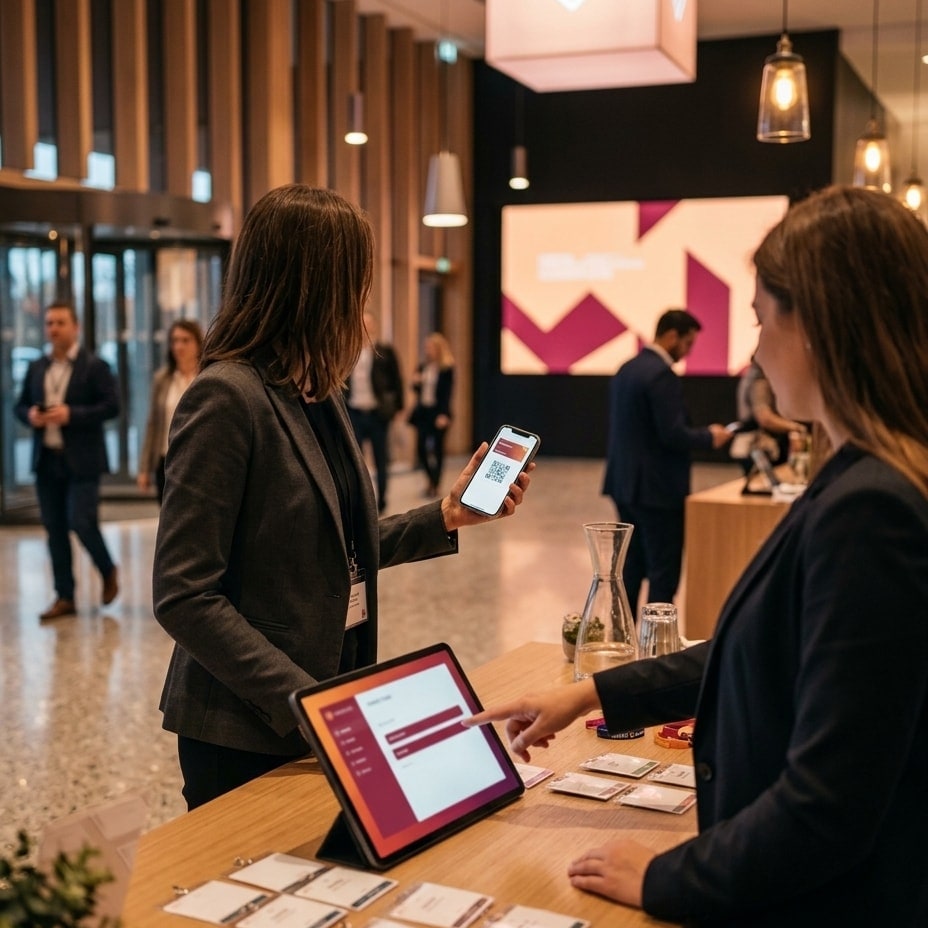
In this technical guide, we break down the operational mechanics behind scheduling digital passes, the critical two-hour dispatch window, and how an automated direct delivery pipeline via WhatsApp slashes wait times and eliminates unnecessary reception desks.
Registration Bottlenecks: Why Email Fails Event Queue Management
When a guest arrives at the check-in desk without a ready-to-scan barcode, three structural delay points compound along the queue:
- Message Retrieval Delay: Searching through an inbox with thousands of unread messages takes 30 to 60 seconds on average. If an organizer dispatched the confirmation three days prior, it is buried beneath dozens of newer threads.
- File Downloads Under Cellular Saturation: High-resolution PDFs or heavy images attached to emails require stable download bandwidth. At venue entrances where hundreds of phones connect to the same localized cellular cell, asset downloads frequently time out.
- Fallback to Manual Database Lookup: If an attendee cannot load their pass, the desk clerk must manually type their first and last name into the management console. This manual step doubles the desk occupancy time per attendee, triggering a severe shockwave through the arrival line.
Integrating dedicated event check-in and on-site scanning workflows targets an ingress velocity threshold below 5 seconds per guest. To hit that benchmark, credentials must surface on the user's primary lock screen before they step into the lobby.
| Operational Metric | Email Ticket (Sent 48h Prior) | Scheduled WhatsApp Pass (Sent 2h Prior) |
|---|---|---|
| Average Retrieval Time | 40–70 seconds | 3–5 seconds |
| Local Network Dependency | High (inbox sync & remote asset downloads) | Negligible (assets cached in local storage) |
| Front-Desk Workload | High (frequent fallback to manual name queries) | Minimal (continuous hands-free optical scanning) |
| Lane Throughput | ~50 attendees/hour per desk | ~300 attendees/hour per desk |
Delivery Timing Architecture: Why the Two-Hour Window Wins
Dispatching tickets too early (24 to 48 hours in advance) destroys arrival immediacy; dispatching too late (at door-opening time) encounters attendees who are already driving, parking, or navigating underground access corridors without signal. The operational sweet spot for automated pass delivery is precisely two hours before scheduled doors.
This specific timing window produces concrete technical and behavioral advantages:
- Chat Feed Primacy: An incoming message arriving within that two-hour window sits at the very top of the user's messaging interface, requiring zero search queries.
- Local Hardware Caching: Plain text and barcode payload media pushed through the official WhatsApp Cloud API documentation specification download directly into device storage upon receipt. Even if an attendee descends into an underground parking structure with zero reception, the ticket renders instantaneously from local device memory.
- Passive Ingress Verification: The dispatch doubles as a non-intrusive reminder containing real-time transit directions, designated parking sectors, and hall assignments, deflecting low-priority queries away from information desks.
Optical Barcode Specs to Prevent Check-In Queue Delays
Displaying a barcode on a modern smartphone screen does not guarantee immediate optical recognition. To prevent scanner lag, visual credentials using QR tickets for events and conferences must comply with contrast and module-dimension guidelines outlined in the ISO/IEC 18004 standard.
The payload graphic should deploy as an independent high-contrast element (pure black modules over a solid white background), completely detached from busy backgrounds, dark themes, or gradient marketing visuals that degrade optical sensor reads. In addition, always render essential identification data in plain text directly beneath the code module—including full attendee name, unique ticket identifier, and seat or zone assignment—to allow instant verification if an attendee presents a phone with a cracked or unresponsive display.
Real-Time Ingress Throughput and Duplicate Entry Prevention
A resilient entrance setup requires continuous, two-way synchronization between client scanners and centralized registration databases. The lifecycle of an on-site scan follows strict states:
- Atomic State Mutation: The moment an optical scanner verifies a ticket string, its record in the central management system flags immediately as "checked-in".
- Instant Re-entry Prevention: Any subsequent read of the same credential triggers an alert on the terminal display, preventing duplicate passes or shared screenshots.
- Dynamic Resource Allocation: Production supervisors track live throughput analytics per hour across all check-in nodes, allowing managers to redirect staff dynamically from dormant lanes to high-traffic turnstiles.
At large-scale summits and conferences, the difference between an agitated crowd and an effortless entrance experience comes down to how credentials arrive in the attendee's hand. When the digital pass sits ready on the screen they are already holding, arrival lines simply fail to form.
Interested in streamlining attendee ingress and eliminating check-in bottlenecks for your upcoming event? Contact our engineering team to review your technical infrastructure and dispatch workflows.
Keep reading
Instant Attendance Report for Clients: Closing Events Without Excel Chaos
Learn how to deliver an instant attendance report for corporate event clients without Excel chaos, using real-time cloud sync and offline data validation.

Real-Time Attendance Tracking: Live Event Control and Zone Access
Learn how real-time attendance tracking and WebSocket sync enable live crowd control, zone management, and frictionless enterprise event operations.
How to Calculate Event Check-In Stations: 3 Operational Rules to Prevent Queues
Learn how to calculate event check-in stations using peak flow rates and service time formulas to eliminate registration queues at your next conference.