
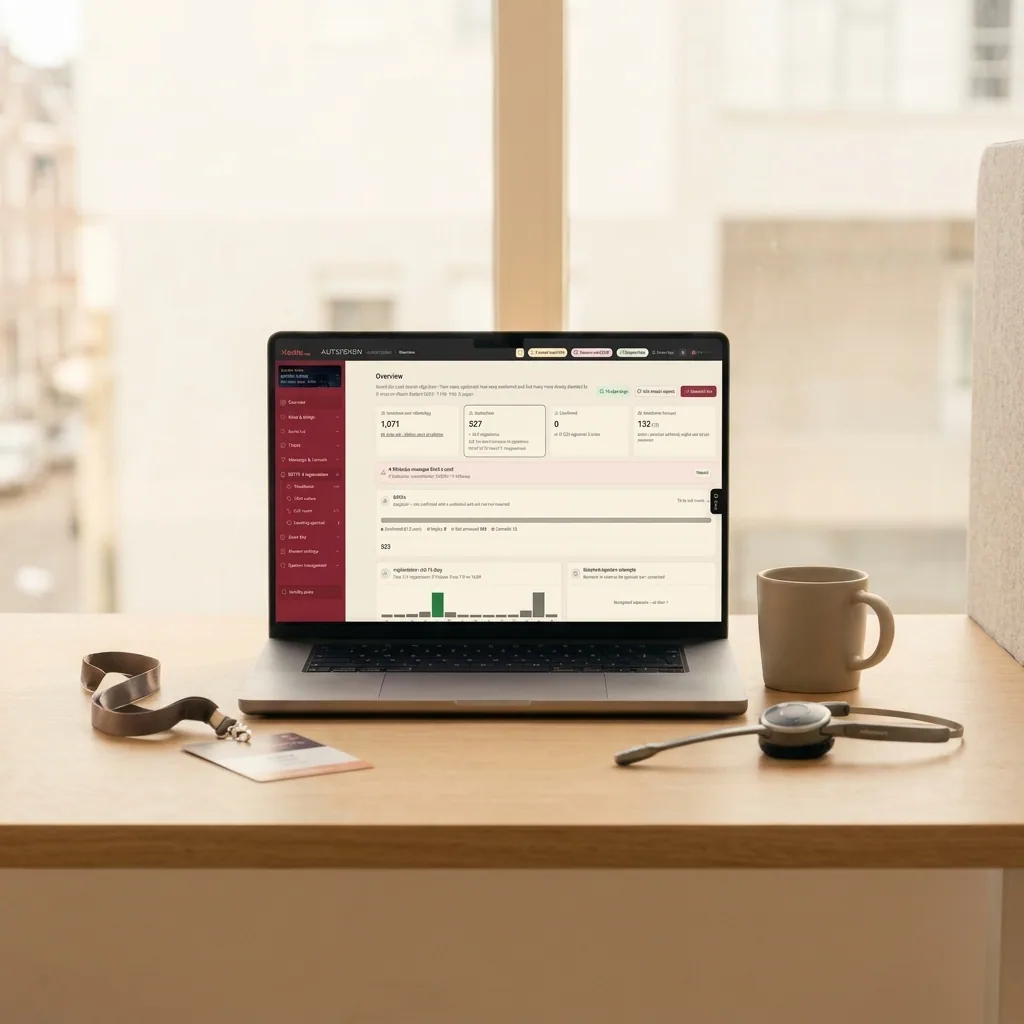
Managing multiple events simultaneously is the operational practice of running several corporate summits, conferences, or product launches at the same time using a unified digital data infrastructure that eliminates synchronization errors between guest lists, vendors, and on-site teams. To navigate high-volume production schedules without costly mistakes, event managers must isolate client workspaces with strict role-based access, replace static spreadsheets with a real-time single source of truth, and automate RSVP confirmations alongside on-site check-in workflows. This operational framework removes human error, protects client data confidentiality, and provides stakeholders with instant live attendance reporting.
Production companies, agency operations leads, and corporate marketing teams frequently face intense delivery windows. A single agency team might oversee a multi-track tech summit in the morning, followed immediately by an upscale brand launch across town that evening. When project managers attempt to coordinate concurrent operations using disparate spreadsheet files shared over chat apps or email threads, failure becomes inevitable: last-minute seating changes get recorded in outdated versions, confirmed VIPs are missing at the registration desk, and call center reps inadvertently dial the same executive twice. Establishing dependable operational control requires deliberate procedures and purpose-built software architectures engineered to eliminate operational bottlenecks before production doors open.
1. Workspace Separation and Role-Based Permissions per Project
During peak delivery periods, the natural temptation to aggregate all guest data into a single master document or share administrative credentials across team members introduces severe operational vulnerabilities. Data overwrites, accidental deletion of registration tiers, and cross-client contact contamination happen almost exclusively when digital boundaries are absent.
Role-based access control is an information security protocol that restricts system permissions based on an individual's specific operational duties within an organization. A resilient production architecture demands an isolated digital workspace for every conference or corporate event, coupled with granular user governance:
- Lead Event Producer: Maintains full administrative control over event architecture, messaging templates, integrations, custom form fields, and raw attendee databases.
- Client Account Lead or Corporate Stakeholder: Receives real-time view-only access to RSVP tallies, dietary aggregates, and live attendance metrics, without administrative rights to alter message dispatch rules or registration logic.
- On-Site Reception and Door Staff: Receives restricted access strictly limited to ticket scanning and attendee lookup tools, shielding sensitive corporate budget figures, procurement agreements, and executive contact details from unauthorized exposure.
Within Irua.app, administrators configure granular access tiers at both the account and individual event level. A project manager running a medical symposium cannot see, modify, or accidentally delete data belonging to a financial gala managed by a colleague in the same agency. Furthermore, utilizing official APIs through Meta for Developers guarantees that guest communications deploy through dedicated, verified enterprise channels. This preserves distinct brand identities for each corporate client and prevents catastrophic sender-number bans or cross-account messaging collisions.
2. Eliminating Static Spreadsheets for a Single Source of Truth
Static spreadsheets cannot keep pace with the fluid dynamics of multiple concurrent productions. When an executive client emails an updated list at 11:00 PM, the production team adds manual VIP tags at 7:00 AM on-site, and phone reps enter notes into a separate cloud sheet, no one possesses the definitive attendance manifest. Understanding when to enforce operational cutoffs is critical; event leads should review locking corporate event guest lists and managing last-minute changes to establish enforceable team deadlines.
A single source of truth is a centralized database architecture where all operational touchpoints read from and write to one live synchronized record. Operating from a central cloud hub provides three core capabilities:
- Dynamic Registration Ingestion: Attendee registrations submitted via custom online forms populate the correct project database instantly without requiring export-import cycles.
- Intelligent Initial Ingestion: Uploading attendee records from standard spreadsheets or Google Sheets is streamlined via structured templates or specialized AI parsing. The system automatically scrubs corrupt formatting, normalizes mobile phone numbers into valid international syntax, isolates first names from surnames, and pre-assigns custom segmentation groups.
- Bidirectional Status Syncing: If an invitee declines attendance via WhatsApp or modifies a meal preference through a self-service portal, the change instantly updates seating allocation charts and catering tallies across all devices simultaneously.
The operational contrast between legacy file handling and centralized cloud databases is distinct:
| Operational Component | File-Based Management (Excel / Sheets) | Centralized Cloud Architecture |
|---|---|---|
| RSVP Data Updates | Manual data entry across multiple copies | Continuous, real-time participant sync |
| Access Control & Ingress | Manual paper checkoffs or unlinked sheets | Digital QR code scanning and live tallies |
| Call Center Coordination | Frequent verbal syncs to prevent duplicates | Automatic queue distribution across reps |
| Post-Event Client Reports | Hours of manual data reconciliation | Instant audit-ready reports in one click |
Centralizing attendee operations into one engine enables production agencies to deploy a white-label branded event registration system, presenting enterprise clients with a seamless digital interface while reducing redundant SaaS licensing expenses.
3. Automating RSVPs and Crew Synchronization Without Failures
When producing multiple simultaneous events, staff cannot squander working hours manually monitoring inbox replies or placing hundreds of routine phone calls. Systematic automation reclaims critical hours and eliminates headcount uncertainty for venue coordinators, stage managers, and catering vendors.
A scalable confirmation workflow operates across three standardized phases:
- Personalized Interactive Delivery: Dispatching official branded WhatsApp invites featuring dedicated quick-reply buttons ("Attending", "Decline", "Attending with Guest"). These messages arrive directly on the attendee's mobile device with verified delivery timestamps.
- Instant Digital Pass Provisioning: Upon affirmative confirmation, the platform automatically generates an encrypted, single-use QR code credential. Attendees can save this credential directly into Google Wallet or Apple Wallet, generating lock-screen reminders on event day that update dynamically if hall assignments or session start times change.
- Intelligent Telephony Dispatch: For high-tier VIPs or unconfirmed attendees who do not interact with automated digital messaging, an integrated telephony workflow divides call queues among operational reps in real time. The moment an agent opens an attendee file, the record locks, preventing duplicate outreach across the floor.
Managing Multiple Events Simultaneously with Check-In Desk Control
The ultimate validation of an agency's multi-event operational capability occurs at the registration desk. A twenty-minute intake delay at a flagship morning symposium cascades through the production schedule, disrupting keynote start times and delaying technical transitions for subsequent afternoon sessions. Detailed operational staging for these high-stress entryways is examined in our guide on conference reception desk operations.
To maintain fluid guest throughput across multiple parallel physical entrances, technological platforms must never restrict concurrent terminal connections. Irua.app allows an unlimited number of smartphones or dedicated tablets to operate as check-in scanners simultaneously without requiring complex mobile software installations. Scanning an attendee's digital pass instantly displays validity verification, guest categorization, and designated zone clearances. Production supervisors track intake velocities in real time using a live attendance counter and access control dashboard, monitoring capacity and zone quotas across every venue entry from a unified screen.
Technical Support and Real-Time Redundancy
Coordinating multiple productions simultaneously requires an enterprise safety net. Regardless of meticulous preparation, unexpected field scenarios emerge: VIP speaker itineraries change abruptly, walk-in registrations arrive without prior notice, or local venue Wi-Fi networks suffer intermittent latency. An event technology platform must demonstrate enterprise dependability under high pressure. Irua.app provides round-the-clock technical support via phone, email, and WhatsApp during live event hours, underpinned by robust server uptime service level agreements that allow corporate producers to execute complex, concurrent events with absolute confidence.
To discover how a unified guest management platform can streamline your upcoming production calendar, contact our team to schedule an operational walkthrough.
Common questions
How do you prevent guest list mix-ups across different events on the same day?
Preventing guest list mix-ups requires deploying isolated, project-specific workspaces within a centralized event management platform rather than maintaining disconnected spreadsheet files. Each event maintains its own dedicated database schema, message automation rules, and designated check-in permissions. This strict logical separation ensures attendee information, broadcast communications, and access credentials remain entirely distinct, eliminating cross-project data contamination.
What should the door crew do if a guest arrives without their QR code?
When an attendee cannot present their digital pass, reception staff can instantly locate their record using the platform's manual search interface on any authenticated phone, tablet, or laptop. Searching by last name, corporate affiliation, or phone number allows staff to verify credentials and complete check-in within seconds, immediately updating central attendance counters to prevent duplicate entries.
Can you set up view-only permissions for corporate clients?
Yes. The system provides granular, role-based permission controls configured at the individual event level. Event producers can grant corporate stakeholders, PR leads, or venue hosts view-only access to live RSVP metrics and door admission dashboards. This offers clients full real-time visibility without allowing them to modify operational data, broadcast settings, or custom registration forms.
How does AI assist with importing multiple guest lists during a busy production week?
Artificial intelligence parsing models process raw attendee spreadsheets or Google Sheets automatically, identifying and correcting syntax errors, removing corrupted data, and validating international mobile phone numbers. The tool parses concatenated full names into separated first and last names and categorizes attendees into predetermined operational segments, reducing multi-hour manual spreadsheet formatting tasks down to a few automated minutes.
From the blog
Keep reading
Event Management System: The Complete Operational Guide for Producers
Master event logistics with a modern event management system. Automate WhatsApp RSVPs, QR check-ins, multi-zone access control, and seating.
Event Management Software No Subscription: White-Label Control
Discover event management software with no subscription fees. Run white-label registration, automated WhatsApp RSVPs, and live QR check-ins per event.
Conference Check-In Management: 3 Operational Principles for Zero-Queue Entry
Master conference check-in management with role-based desk setups, local-first offline sync, and strict change control to eliminate guest bottlenecks.